How to Delete Your Account
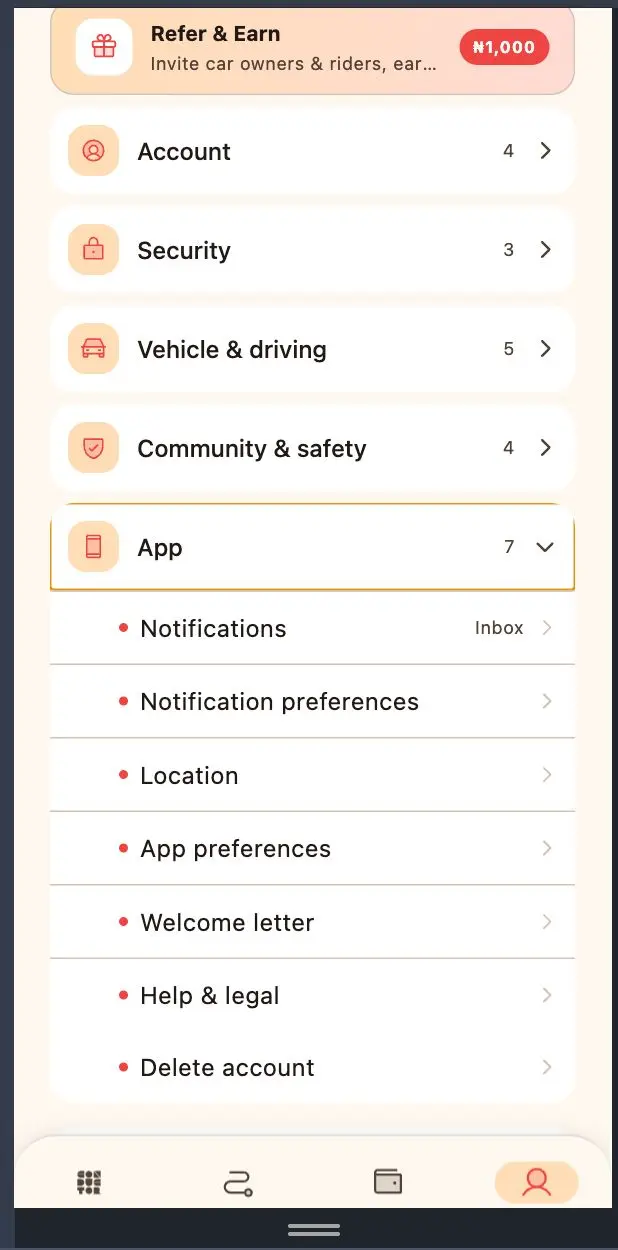
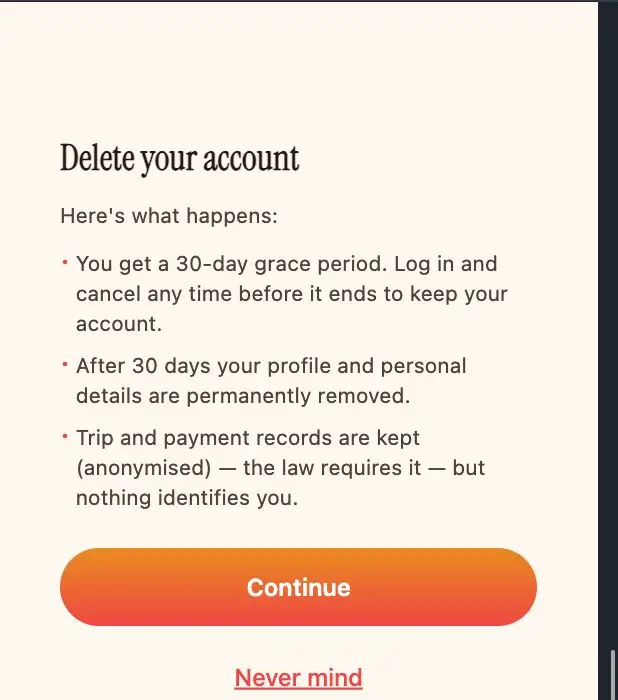
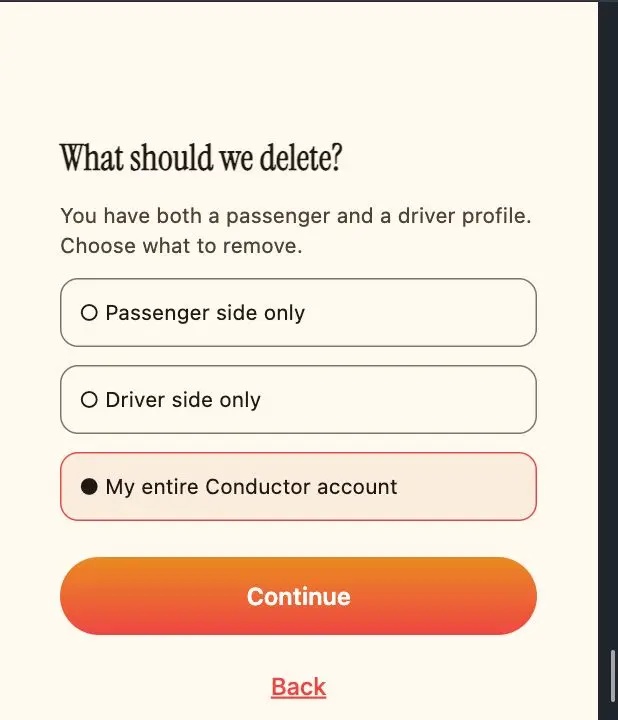
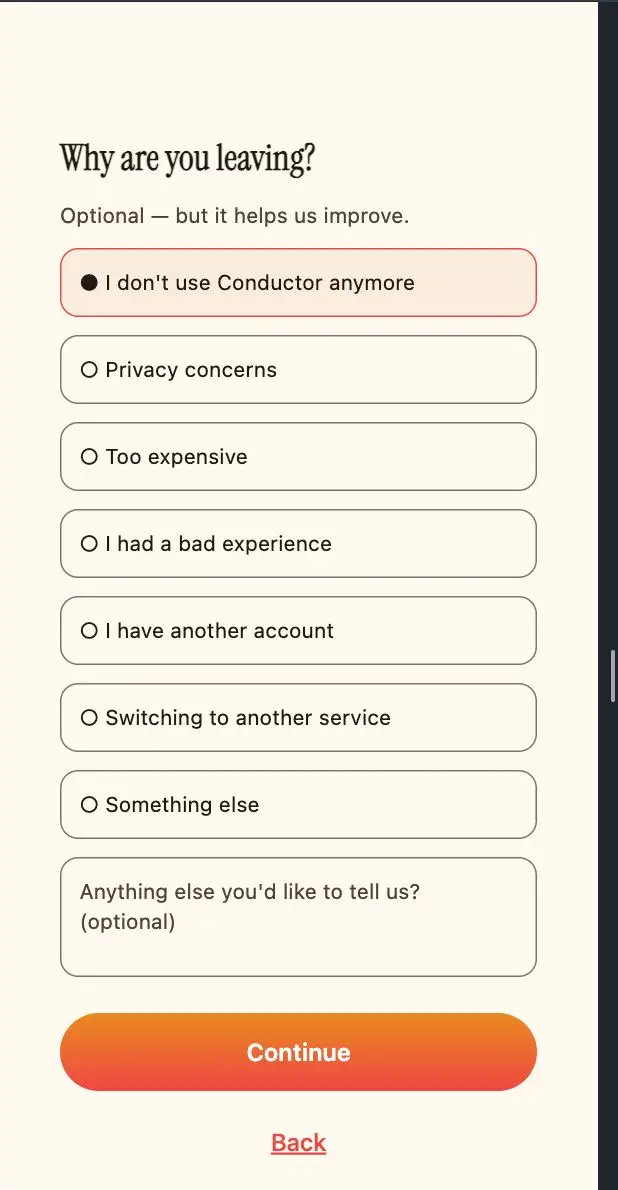
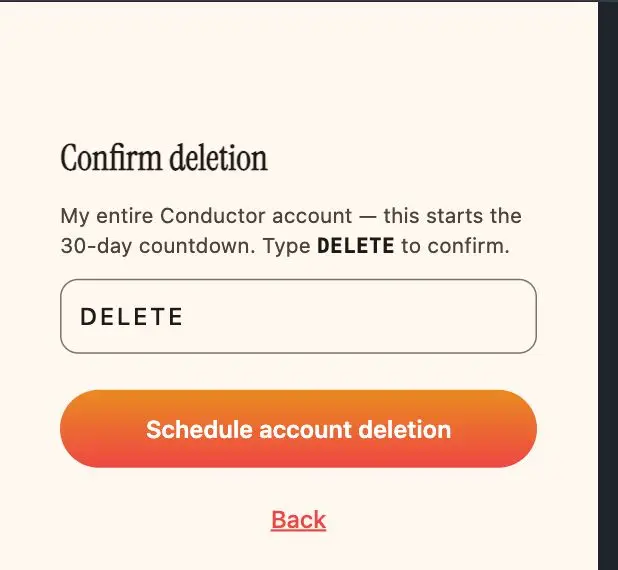
Want to close your Conductor.ng account? Here's exactly what you'll see in the app, one screen at a time. It takes about two minutes, and you can back out any time before the 30-day grace period ends.
Full Account & Data Deletion Policy
DELETION
You control your account. This Policy explains how to request deletion, what happens during the 30-day grace period, and which categories of information we may lawfully retain after your account is closed.
1. How to request deletion
Open Account → Delete account in the app, or contact us at support@conductor.ng. Once we receive your request, your account is scheduled for deletion and enters a thirty (30) day deactivation period.
2. Thirty (30) day grace period
- Your account is deactivated but not permanently deleted for thirty (30) days.
- If you log in or otherwise access the Platform using your credentials during that period, your deletion request is deemed withdrawn, and your account is automatically reactivated. You may submit a new deletion request at any time.
- Where you are owed money on your account (e.g. a Wallet balance), we will guide you through payout (typically to your verified bank account) as part of the deletion flow. The account cannot be permanently deleted while funds are undischarged.
3. Timeline for deletion
After the 30-day grace period, we complete the deletion or anonymisation of your eligible personal data within a reasonable further period and, in any event, in accordance with applicable legal and regulatory requirements. Certain information may remain in our secure archives for the periods described below.
4. Information that may not be deleted
Notwithstanding a deletion request, we may retain certain categories of information where retention is necessary or permitted by law, including:
- Identity-verification records — information used to verify User identity (including NIN records) may be retained where necessary to comply with legal, regulatory, security, fraud-prevention, or audit requirements.
- Transaction and Trip records — records relating to completed Trips, payments, receipts, disputes, complaints, refunds, and other transactional activity may be retained for accounting, tax, auditing, and legal-compliance purposes.
- Safety and security information — we may retain information necessary to investigate or prevent fraud, abuse, security incidents, violations of these Terms, or other unlawful activity, and to protect Users and the public.
- Legal and regulatory requirements — personal information subject to a legal-hold, court order, governmental directive, or valid regulatory request.
- Anonymised or aggregated data — information that has been irreversibly anonymised so that it can no longer identify you may be retained and used for statistical analysis, service improvement, business planning, and other lawful purposes.
5. Effect of permanent deletion
Once your account is permanently deleted, you may lose access to your profile, Trip history, saved preferences, referrals, and other information associated with the account. Information retained under clause 4 will continue to be protected in accordance with the Privacy Policy and applicable law.
6. Your acknowledgement
By submitting a deletion request, you acknowledge and understand this Policy.
Need help?
If you're having trouble deleting your account or have questions about data retention, our support team is here to help.
Contact support